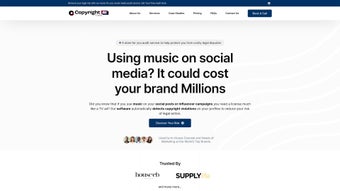

Download Copyright Check AI – AI‑powered copyright audit tool for social media
Introduction
In today’s hyper‑connected marketing world, brands, agencies, and individual creators rely on music, video clips, and images to capture audience attention. While this creative freedom fuels engagement, it also opens the door to accidental copyright infringement—a risk that can lead to costly legal disputes, platform takedowns, and damage to reputation. Copyright Check AI was built to eliminate that uncertainty.
By leveraging deep‑learning models, audio fingerprinting, and visual analysis, the platform scans every piece of social‑media content posted by a brand or its partners, flags potential violations, and delivers actionable reports in a format that legal and marketing teams can immediately act upon. The solution is cloud‑native, offering both a one‑time audit and a subscription‑based continuous monitoring service that sends real‑time alerts whenever new risky content appears. Whether you manage a global consumer brand with dozens of social accounts, a boutique agency juggling multiple client campaigns, or a solo influencer looking to protect your creative assets, Copyright Check AI scales to meet the demand while remaining easy to deploy and secure.
This review breaks down the core capabilities, installation steps, system compatibility, and the pros and cons you should weigh before committing to the service.
Overview & Key Features
Why Copyright Check AI Stands Out
The platform distinguishes itself through a combination of AI accuracy, comprehensive coverage, and user‑centric reporting. Traditional manual checks rely on human intuition and are prone to oversight, especially when dealing with large volumes of posts across multiple platforms. Copyright Check AI automates the entire workflow: it ingests media, extracts acoustic and visual signatures, cross‑references them with an ever‑growing database of licensed works, and assigns a risk score that reflects jurisdictional nuances and the potential impact of each violation. The resulting risk‑scoring engine helps compliance teams prioritize high‑impact items while allowing lower‑risk content to be addressed later. Moreover, the service integrates a knowledge base that educates users about fair use, platform‑specific policies, and emerging legal trends, turning a compliance tool into a learning hub.
Feature List
- AI‑Driven Content Scanning: Deep‑learning models evaluate audio fingerprints, visual frames, and metadata to detect copyrighted assets across Instagram, TikTok, YouTube, Facebook, and emerging platforms.
- Spreadsheet‑Ready Reports: Exportable CSV/Excel files include flagged items, risk levels, legal references, and recommended corrective actions.
- Influencer Partnership Audit: Review contracts, briefs, and posted content from collaborators before campaigns go live.
- Continuous Monitoring Service: Daily automated scans with real‑time alerts via email, Slack, or mobile push notifications.
- Risk Scoring Engine: Numeric scores factor in jurisdiction, rights‑holder enforcement history, and content reach.
- Educational Dashboard: Built‑in guides on copyright law, fair‑use doctrine, and platform policies.
- Secure Cloud Architecture: End‑to‑end encryption, GDPR, CCPA, and ISO‑27001 compliance.
- Multi‑User Access & Role Management: Granular permissions for auditors, reviewers, and administrators.
- API & SDK Integration: RESTful endpoints and SDKs for Windows/macOS enable seamless embedding into existing brand‑safety workflows.
- Regular Model Updates: Monthly refreshes of music catalogs and legal precedents keep detection current.
Installation & Usage Guide
Getting started with Copyright Check AI is intentionally frictionless. Visit the official website and click “Get Started – Free Trial.” After entering a corporate email address, you’ll receive a verification link and an automatically generated API key. The first step in the onboarding wizard is to select the social‑media accounts you wish to audit. Connections are established via standard OAuth flows—identical to those used by popular scheduling tools—ensuring that no passwords are stored by the service. You can choose a custom audit window (e.g., the past 90 days) or let the system default to a comprehensive baseline.
Once accounts are linked, the platform queues a scan job in its secure cloud environment. Scan duration varies with data volume: a typical brand with 5,000 posts across three platforms completes in 45‑90 minutes, while larger enterprises with millions of assets may require several hours. Progress is displayed in the “Job Tracker” tab, which shows percentage completion, estimated time remaining, and any API rate‑limit warnings. When the scan finishes, results are compiled into a downloadable spreadsheet and simultaneously pushed to an optional Google Sheet for real‑time collaboration.
The continuous monitoring service activates automatically after the trial expires, provided a payment method is on file. Billing is handled via a secure credit‑card portal or corporate invoicing for enterprise accounts. Users can customize alert preferences: a daily digest for low‑risk items, instant push notifications for high‑risk detections, or a weekly summary sent to a designated Slack channel. The platform also supports “whitelisting,” allowing pre‑approved songs or clips to bypass alerts, which is especially useful for licensed content already cleared through third‑party agreements.
Developers benefit from extensive API documentation that includes sample code in Python, Node.js, and Java. Using the API key, you can submit ad‑hoc URLs for scanning, retrieve risk scores, and embed results into brand‑safety dashboards built on Tableau, Power BI, or Looker. The SDKs for Windows and macOS allow local pre‑scans of large media libraries before uploading, reducing cloud processing time. Support is available via live chat, ticketed email, and a community forum where users share custom rule sets and best‑practice guides.
Compatibility, Pros & Cons, and Frequently Asked Questions
System Compatibility
Copyright Check AI is a SaaS solution accessible from any modern web browser—Chrome, Firefox, Safari, or Edge—without the need for heavyweight client installations. For teams that prefer desktop interaction, lightweight clients are available for Windows 10/11 (minimum 4 GB RAM, dual‑core CPU) and macOS Catalina or later (minimum 4 GB RAM). Mobile apps exist for iOS 13+ and Android 8.0+, delivering push notifications and on‑the‑go report reviews. The API can be consumed from any server supporting HTTPS/TLS 1.2, making it compatible with Linux, Windows Server, and cloud environments such as AWS, Azure, or Google Cloud.
Pros
- High AI detection accuracy reduces false positives compared with manual reviews.
- Exportable spreadsheet reports streamline hand‑off to legal and compliance teams.
- Continuous monitoring keeps brand assets protected as new content is posted.
- Broad coverage of major social platforms and influencer networks.
- GDPR‑compliant encryption builds trust with global enterprises.
- Scalable pricing accommodates small agencies and multinational corporations.
- Robust API and SDKs enable deep integration into existing workflows.
Cons
- Initial scans of very large accounts may require several hours.
- Subscription cost can be a hurdle for solo creators on tight budgets.
- OAuth permissions for each platform can feel cumbersome during setup.
- AI model may need occasional manual tuning for niche regional music catalogs.
- No on‑premise deployment option for highly regulated industries that prohibit cloud storage.
Frequently Asked Questions
How does Copyright Check AI detect copyrighted music?
The service uses audio fingerprinting combined with deep‑learning classification. When a video is scanned, the audio track is broken into tiny acoustic signatures, which are then compared against a massive, regularly updated database of licensed and copyrighted tracks supplied by major rights societies worldwide.
Can I scan content before it goes live?
Yes. The desktop client includes a “pre‑upload scan” feature that lets you drag‑and‑drop video or audio files for a quick risk assessment before publishing them on any platform.
What happens if a false positive is flagged?
Each report contains a “review” button that allows compliance teams to mark an item as a false positive. The system records this feedback and uses it to fine‑tune the AI model, improving accuracy for future scans.
Is there a free trial available?
A 14‑day free trial is offered with full access to the platform, including one comprehensive audit and up to five continuous‑monitoring alerts. No credit‑card information is required to start the trial.
How is pricing structured?
Pricing is tiered based on the number of social accounts and monthly scan volume. The basic plan starts at $199 per month for up to three accounts, while enterprise packages are custom‑quoted and include SLA guarantees, dedicated account managers, and optional on‑demand training.
Does the tool comply with data‑privacy regulations?
Yes. All data is encrypted at rest and in transit, and the platform adheres to GDPR, CCPA, and ISO‑27001 standards. Regional data residency options are also available for customers with specific compliance requirements.
Conclusion & Call to Action
In a landscape where a single copyright misstep can generate legal fees, platform bans, and brand‑trust erosion, investing in proactive protection is essential. Copyright Check AI delivers a comprehensive, AI‑driven solution that not only uncovers existing violations but also continuously monitors new content, giving marketers, legal teams, and influencer managers the confidence to create without fear. While the subscription price may be a consideration for smaller creators, the potential savings from avoided lawsuits and reputational damage far outweigh the cost. Ready to safeguard your social‑media assets and streamline compliance? Click below to start your free trial and experience AI‑powered copyright protection firsthand.
Start Free Trial of Copyright Check AI


.png)



